Introduction
Many technical B2B teams build genuinely strong products, then let the website bury the message in jargon. A visitor lands on the homepage, sees an abstract render and a headline like "Powering the Future," and leaves without learning what the product actually does.
That gap costs more than most teams realise. Visitors decide whether to stay or leave in under 30 seconds. For climate tech, energy, and deep-tech companies, the hero section has a harder job than a typical SaaS landing page. It must prove the product is credible, deployable, and commercially real, often to several different reviewers at once.
This guide covers what makes a technical B2B hero different and how to build the message before the visual. It also walks through layouts for different proof needs, and how to keep the hero fast, accessible, and testable before you lock the design.
Key Takeaways
- A technical B2B hero simplifies the buying decision without oversimplifying the product
- Write and validate the message before choosing visuals or illustration style
- Show product context or deployment proof, not abstract "innovation" imagery
- Match the primary CTA to the visitor's buying stage, not a generic "Learn More"
- Treat the hero as an entry point to trust, not the whole sales argument
What Makes a Technical B2B Hero Section Different?
A generic SaaS hero (headline, stock photo, "Learn More" button) rarely survives contact with a technical buying committee. Forrester reports an average of 13 people involved in a B2B purchase decision, with 89% of deals touching at least two departments. A hero written for one persona will lose the other twelve before they even scroll.
Four Reviewers, One First Impression
Each stakeholder scans the hero for something different:
- Technical evaluators want a hint of how the product actually works
- Business leaders want the outcome, stated in plain terms
- Procurement teams want signals of credibility and reduced risk
- Implementation stakeholders want a sense of what adoption involves
The hero can't fully answer all four questions. But it needs enough relevance in each direction that nobody bounces immediately.
This is also where technical complexity and visitor need diverge. The hero should state the relevant outcome first, then offer a clear route to deeper detail—whether a specs page, a technical whitepaper, or a documentation link.
The Trust Gap in Emerging Categories
Climate tech, energy, frontier tech, deep tech, and ESG data all share a problem: the category itself is new enough that visitors need convincing the product is real before they'll engage with how it works.
We've seen this directly while designing hero sections for clients backed by the U.S. Department of Energy, ARPA-E, and major climate VCs. Buyers usually ask "is this actually deployable" before they care what the product does.
Where a visitor lands also changes what the hero needs to do:
| Entry point | What the hero should prioritise |
|---|---|
| Homepage | Category positioning and overall credibility |
| Campaign landing page | One specific promise tied to the campaign |
| Product page | Concrete product proof over broad positioning |
The hero isn't the entire sales argument. Its job is to earn enough understanding and confidence that the visitor keeps reading.
Build the Message Before the Visual
Design decisions made before the message is settled tend to get rebuilt. Start with a short brief instead: who's the target buyer, what's their highest-priority problem, what measurable outcome do they want, how does the product actually deliver it, and what should the page ask them to do next.
NN/g recommends that a homepage hero communicate a clear value proposition, typically through a descriptive tagline, and specifically warns against jargon, business-speak, and feature-driven language. That advice applies even more to technical B2B, where it's tempting to lead with the mechanism instead of the outcome.
Headline and Supporting Copy
A strong headline names the category or job-to-be-done in plain language. Compare:
- Weak: "Next-Gen Energy Intelligence for a Better Tomorrow"
- Stronger: "Convert ESG Data into Enterprise Contracts"
- Also stronger: "Turn Deep-Tech Breakthroughs into Market Traction"
Those second two examples come from hero headlines we've built for climate and deep-tech clients. Each names a specific outcome instead of hinting at innovation.
Supporting copy shouldn't repeat the headline. Use it to add what's missing: who the product serves, how it works at a high level, and what makes the approach credible.
Structure and CTAs
A workable hierarchy looks like this:
- Audience or problem cue
- Outcome-led headline
- Concise explanation
- One proof signal
- Primary CTA
CTA labels should match buying intent, not default to "Learn More." Options we've used across different pages include "Explore Capabilities," "View Selected Work," "Book a Strategy Call," and "Book a 1:1 Consultation Call." Add a secondary CTA only when it serves a different audience—for example, a demo request for technical evaluators paired with a whitepaper for budget holders.
Once the hierarchy and CTAs are drafted, validate the words before visual design begins.

Build a content-first wireframe and pressure-test it:
- Draft several headline and supporting-copy options
- Review them with subject-matter experts and people who resemble your buyer
- Keep a statistic or customer result only when it strengthens the message
- Cite every proof point—don't invent a number
Choose the Right Layout and Visual Proof
Once the message is locked, the layout should serve it, not the other way round. Four approaches cover most technical B2B products:
| Layout | Best suited for |
|---|---|
| Split-screen | Pairing a message with a product interface, hardware shot, or system diagram |
| Product-led | Software, dashboards, APIs, and data platforms where seeing the product reduces uncertainty |
| Minimal text-led | Strong brand recognition, a focused use case, or a highly specific promise |
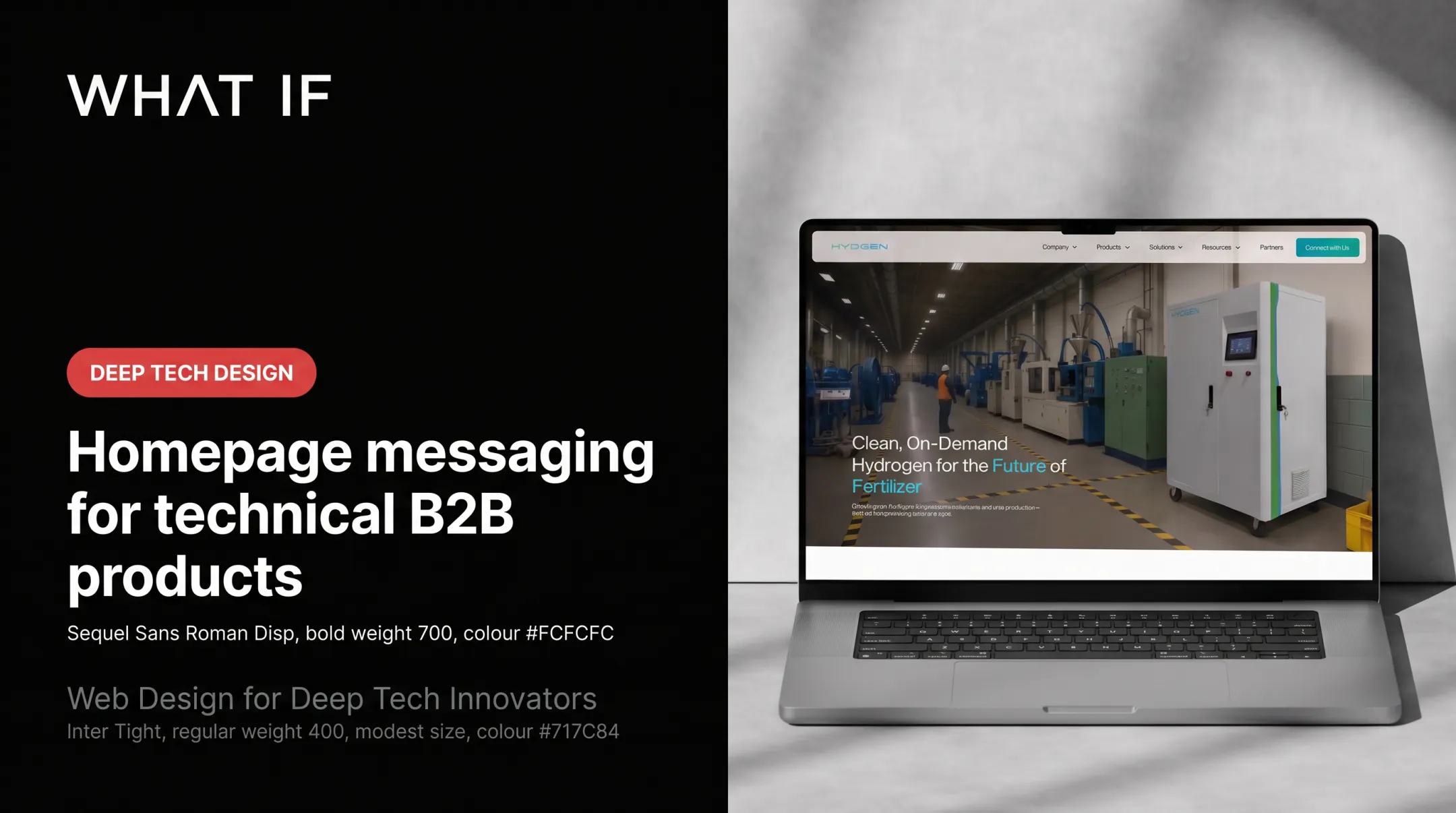
| Full-width imagery or video | Physical infrastructure, field deployments, or industrial environments hard to explain in a screenshot |
Match the visual to what actually needs proving:
- Workflow benefit → product interface
- Operational credibility → deployment photo
- System relationships → diagram
- Adoption and collaboration → human operator
Examples from Technical Products
- Shine Billing, a solar energy platform, uses a data-visualisation UI showing lifetime energy metrics rather than a generic solar panel photo
- Batteryze shows a battery health dashboard with material value tracking, proving the platform's analytical depth for a circular EV battery economy
- Ribbit Network centres GHG tracking visuals to support its open-source climate observability mission
- Susteon, a carbon capture and utilisation company, uses imagery of actual infrastructure rather than abstract "clean energy" stock photography
Every visual should confirm the headline, not just create atmosphere. Preserve negative space around key copy, and avoid stacking text over busy technical imagery.

Logos, certifications, and quantified claims work as supporting evidence, never as a replacement for explaining the product. A row of investor or client logos builds credibility—we've used rows featuring Accel, the U.S. Department of Energy, and Sequoia on climate-tech client pages. It still does not replace a clear outcome statement.
Example framework for a climate or deep-tech hero:
- Outcome-led headline naming the specific result
- Visual showing the technology in its actual deployment context
- One credible proof cue (investor backing, pilot result, or certification)
- A CTA matched to the visitor's readiness, such as "Book a Strategy Call" for early-stage interest
When one screenshot cannot carry the technology, layout and visual proof have to do more of the explaining. That is the brief we take on at What if Design: brand, website, and product communication built together for climate science and energy systems companies.
Make the Hero Fast, Accessible, Responsive, and Testable
A beautifully designed hero that loads slowly or fails accessibility checks undermines the message before anyone reads it.
Google's current "good" Core Web Vitals thresholds are LCP ≤ 2.5s, INP ≤ 200ms, and CLS ≤ 0.1, measured at the 75th percentile on mobile and desktop separately. Don't lazy-load the image likely to be your Largest Contentful Paint element.

Design Mobile as Its Own Experience
Mobile isn't a compressed desktop layout. Define deliberately:
- What crops and what stays in the mobile hero image
- The order of text elements on a narrow screen
- Where the CTA sits without scrolling
- A fallback for complex diagrams or wide product interfaces that don't shrink well
Accessibility Fundamentals
| Hero element | What's required |
|---|---|
| Informative hero image | Meaningful alt text describing content, not decoration |
| Headline or CTA over an image | Text contrast of at least 4.5:1 (3:1 for large text) |
| CTA and navigation controls | Fully operable by keyboard |
| Hero video with audio | Captions for prerecorded audio |
| Auto-playing motion | Pausable, stoppable, or hideable if it runs longer than five seconds |
Use motion only when it communicates actual product behaviour or system flow, such as an animated diagram showing data moving through a platform. When animation is decorative, provide a still or reduced-motion alternative that respects a visitor's motion preferences.
Measure and Test Before You Finalise
Set a measurement plan before launch:
- Primary CTA clicks
- Qualified demo requests
- Engagement with technical documentation
- Scroll depth
- Page speed
Combine quantitative tracking (heatmaps for clicks, scroll, and cursor movement) with qualitative feedback from people who resemble your actual buyer.
Test one variable at a time:
- Headline framing
- Product screenshot versus deployment photo
- CTA wording
- Proof element placement
Low-traffic B2B pages often can't support a statistically conclusive A/B test. In that case, qualitative sessions with real buyers tell you more about why a hero underperforms than analytics alone.
Frequently Asked Questions
What should be in a hero section?
A clear headline, supporting copy that adds context, a relevant visual, a primary CTA, and one carefully chosen proof element. Technical B2B products should also offer a visible route to deeper technical information.
Why is it called a hero section?
"Hero" refers to the dominant introductory area of a page, the space that carries the primary message and visual. It has nothing to do with a person or heroic imagery specifically.
What is the recommended size for a hero section design?
There's no universal pixel size. Design around viewport behaviour, readable content at various screen sizes, responsive image crops, and performance limits rather than a fixed height.
What is the difference between a landing page and a hero section?
A landing page is the full destination page built around one conversion goal. The hero section is its introductory, above-the-fold area, one part of the broader page journey.
How do you design a hero section for a technical B2B product?
Write audience-specific messaging in plain language and lead with the outcome rather than the mechanism. Show product or deployment proof, add one credibility signal, and validate the draft with people who match your actual buyer before finalising it.
Should a B2B hero section show the product or a person?
It depends on what needs proving. Show the product when functionality is the main question, show a person when expertise or adoption is the concern, and only combine both if the composition stays uncluttered.